

Debugging is an essential skill for every programmer. No matter how experienced you are, errors (bugs) are a part of coding. Debugging is the process of identifying, analyzing, and fixing these errors.
Let’s understand debugging in a simple and beginner-friendly way.
1. What is Debugging?
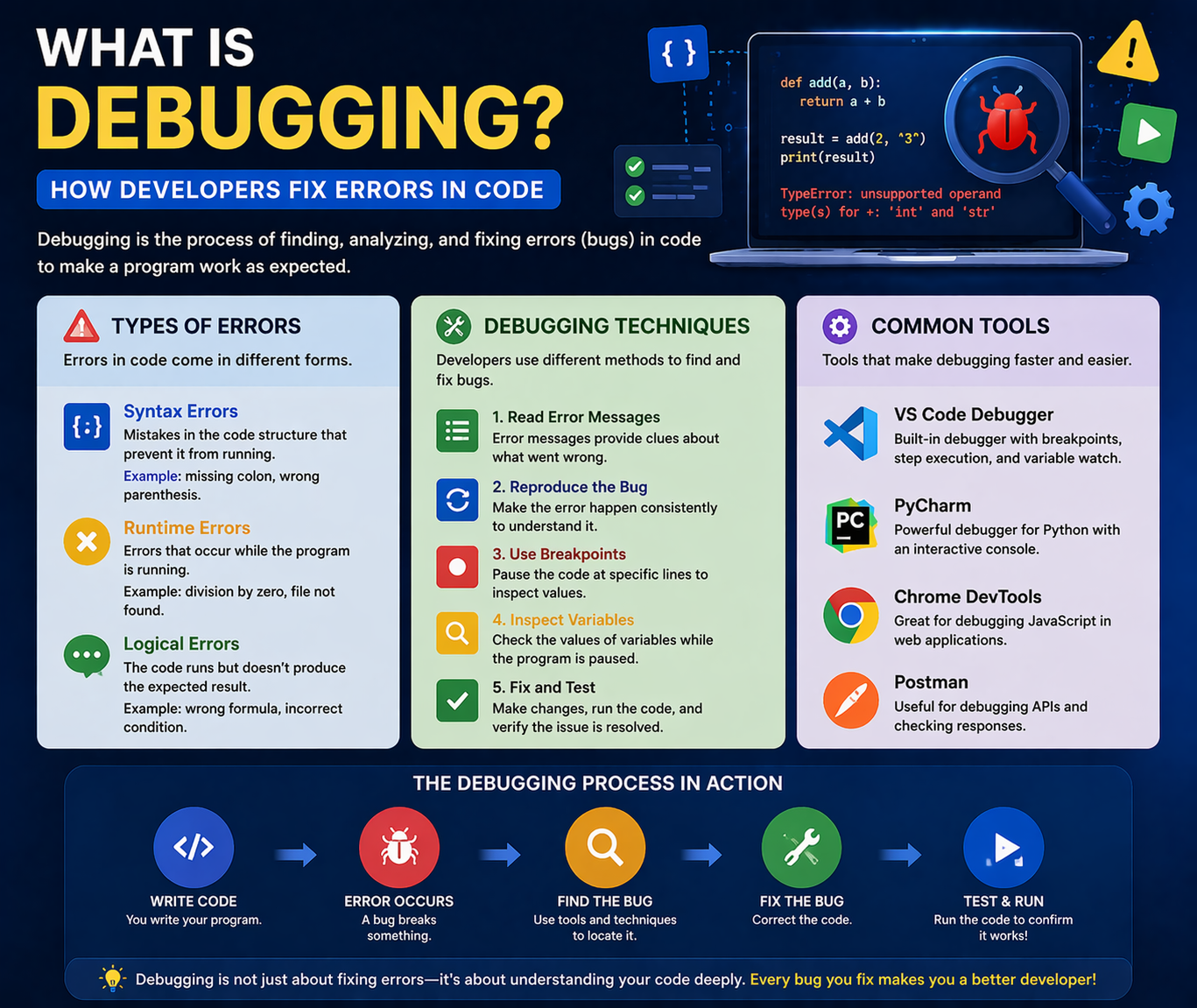
Debugging is the process of finding and fixing errors (bugs) in a program.
Why Debugging is Important:
- Ensures code works correctly
- Improves application performance
- Helps developers understand code better
👉 Example: Fixing a login error when a user cannot sign in
2. Types of Errors
1. Syntax Errors
- Mistakes in code structure
- Example: Missing semicolon or bracket
2. Runtime Errors
- Occur while the program is running
- Example: Dividing by zero
3. Logical Errors
- Code runs but gives wrong output
- Example: Incorrect calculation logic
3. Debugging Techniques
Common Techniques:
- Reading error messages carefully
- Using print/log statements
- Breaking code into smaller parts
- Testing step-by-step
👉 Tip: Always test small parts of your code to find issues quickly
4. Debugging Tools
Popular Tools:
- Browser Developer Tools (Chrome DevTools)
- IDE Debuggers (VS Code, IntelliJ)
- Console logging
👉 These tools help track variables, errors, and execution flow
Why Debugging is Important for Developers?
- Helps fix issues quickly
- Improves coding skills
- Essential for real-world projects
Beginner Recommendation
If you are starting:
- Understand different types of errors
- Practice reading error messages
- Use console.log or print statements
- Learn debugging tools step-by-step
Final Thoughts
Debugging is a core skill that every developer must master. It not only helps in fixing errors but also improves your problem-solving ability.
At Mango Engineers, we focus on practical learning, real-world projects, and mentorship to help students become industry-ready developers.
Call to Action
Start learning debugging with Mango Engineers and become a confident developer!