

Introduction
E-commerce websites are one of the most common real-world applications in software development. From browsing products to making payments, multiple systems work together behind the scenes.
In this case study, you will understand how a simple e-commerce website works step by step.
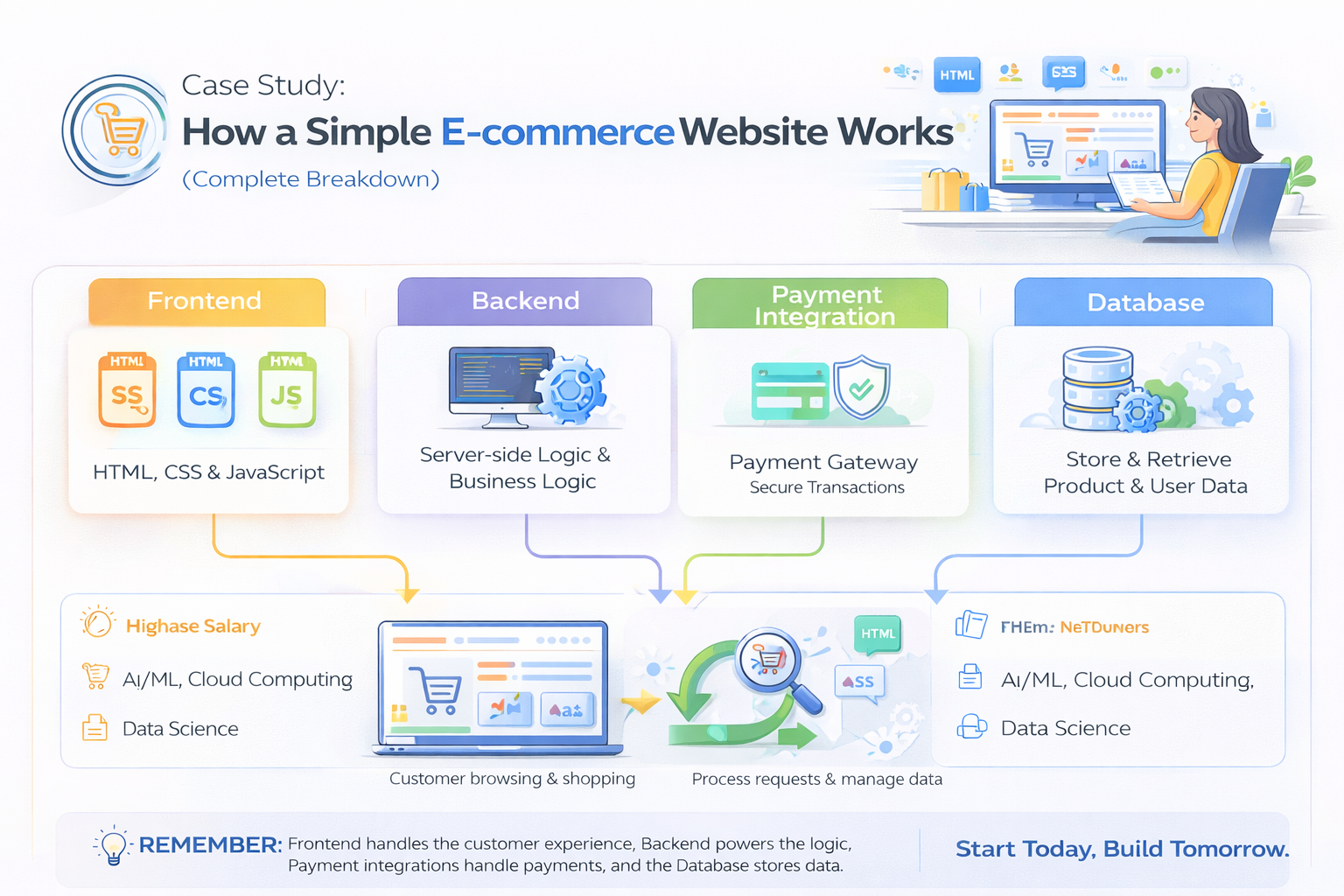
Overview of E-commerce System
An e-commerce website mainly consists of:
- Frontend (User Interface)
- Backend (Server Logic)
- Database (Data Storage)
- Payment Integration
1. Frontend (User Interface)
The frontend is what users see and interact with.
Features:
- Product listing
- Search and filters
- Add to cart
- Checkout page
Technologies:
- HTML, CSS, JavaScript
- React (for dynamic UI)
Example Flow:
User visits website → Browses products → Adds items to cart
2. Backend (Server Logic)
The backend handles business logic and processes user requests.
Responsibilities:
- User authentication (login/signup)
- Order processing
- API handling
Technologies:
- Node.js
- Express.js
Example Flow:
User clicks “Buy Now” → Backend processes order → Sends response
3. Database (Data Storage)
The database stores all application data.
Stores:
- User details
- Product information
- Orders
Technologies:
- MongoDB
Example:
When a user places an order, the data is saved in the database.
4. Payment Integration
Payment systems allow users to pay online.
Popular Gateways:
- Razorpay
- Stripe
Flow:
- User enters payment details
- Payment gateway processes transaction
- Confirmation sent to backend
Complete Workflow of E-commerce Website
- User visits website
- Frontend displays products
- User adds items to cart
- Backend processes request
- Database stores order details
- Payment gateway completes transaction
- Confirmation shown to user
Real-World Example Scenario
- User logs in
- Selects a product
- Adds to cart
- Proceeds to checkout
- Makes payment
- Receives order confirmation
Technologies Used Together (MERN Example)
- React (Frontend)
- Node.js + Express (Backend)
- MongoDB (Database)
Key Learning Points
- Multiple systems work together
- APIs connect frontend and backend
- Database stores all important data
- Payment integration ensures secure transactions
Conclusion
An e-commerce website is a complete full-stack application involving frontend, backend, database, and payment systems.
Understanding this flow helps you build real-world projects and become job-ready.
Start learning with Mango Engineers and build your own e-commerce