

Deploying your project online is an exciting step in your development journey. It allows you to share your work with others and showcase your skills.
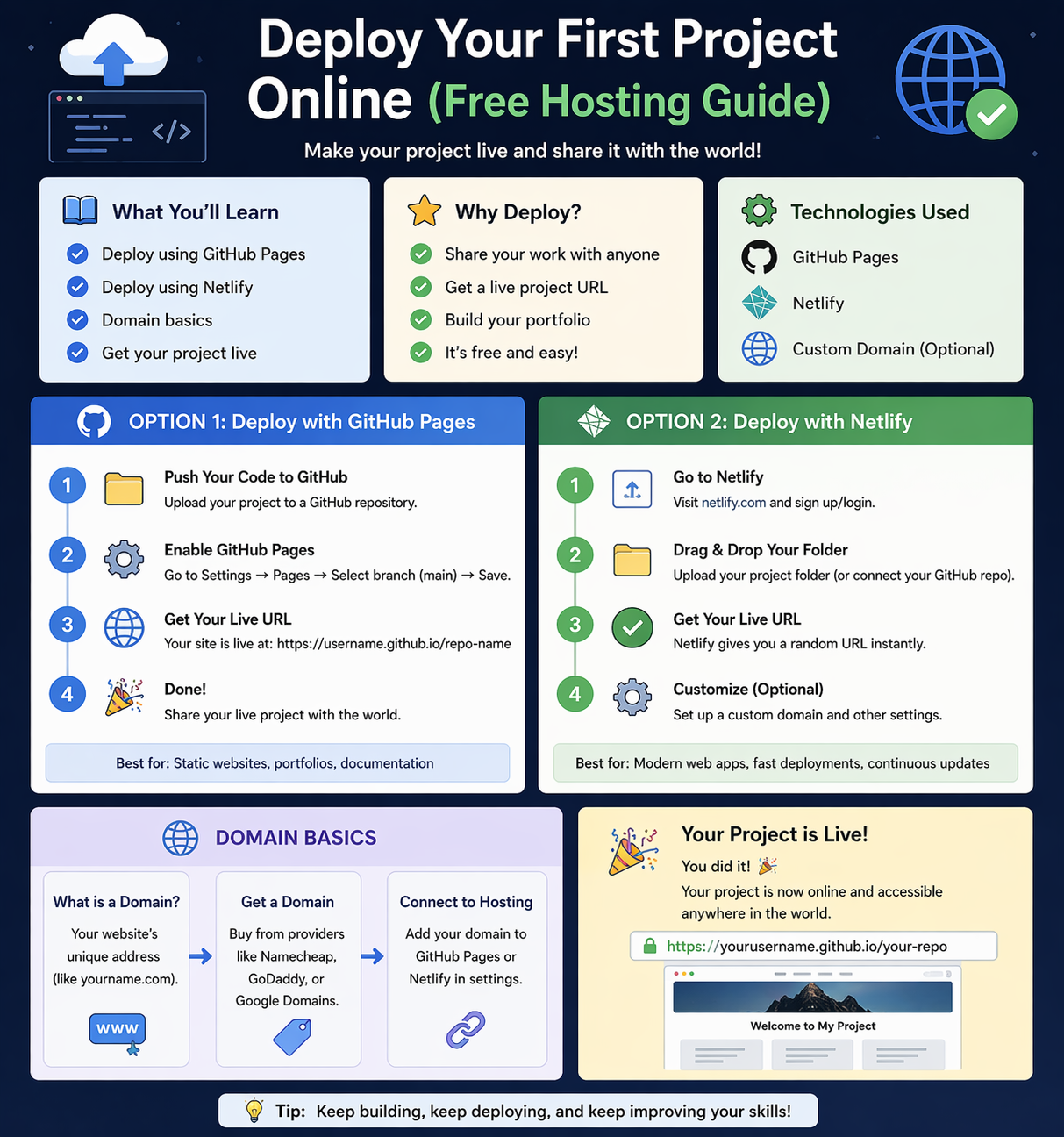
In this guide, you will learn how to deploy your first project using free hosting platforms.
1. Why Deployment is Important
- Makes your project accessible online
- Helps build your portfolio
- Impresses recruiters and clients
2. GitHub Pages (Free Hosting)
GitHub Pages allows you to host static websites for free.
Steps:
- Upload your project to GitHub
- Go to repository settings
- Enable GitHub Pages
- Get live URL
👉 Best for HTML, CSS, JavaScript projects
3. Netlify (Easy Deployment)
Netlify is a popular platform for quick deployment.
Steps:
- Go to Netlify
- Drag & drop your project folder
- Deployment starts automatically
- Get live link instantly
👉 Supports advanced frontend projects
4. Domain Basics
A domain is your website address (e.g., yourname.com)
Types:
- Free domain (Netlify, GitHub URL)
- Custom domain (paid)
Example:
- Free: project.netlify.app
- Paid: yourproject.com
👉 Custom domains look more professional
5. Live Project Flow
- Build project locally
- Upload to hosting platform
- Deploy project
- Get live URL
- Share with others
6. Tips for Deployment
- Test project before deploying
- Keep files organized
- Use meaningful project names
- Update regularly
Why Learn Deployment?
- Essential for developers
- Required for portfolio
- Helps in freelancing and jobs
Beginner Recommendation
- Start with GitHub Pages
- Try Netlify for ease
- Use free domain first
- Upgrade later
Final Thoughts
Deploying your project is the final step in development. It turns your code into a live application that others can access.
At Mango Engineers, we help students build and deploy real-world projects to become industry-ready developers.
Call to Action
Deploy your first project today with Mango Engineers and showcase your skills to the world!